
Deleting a Workspace
Deleting a workspace permanently removes it along with everything inside it. This action cannot be undone, so make sure you no longer need any of the workspace's data before proceeding.
How to delete a workspace
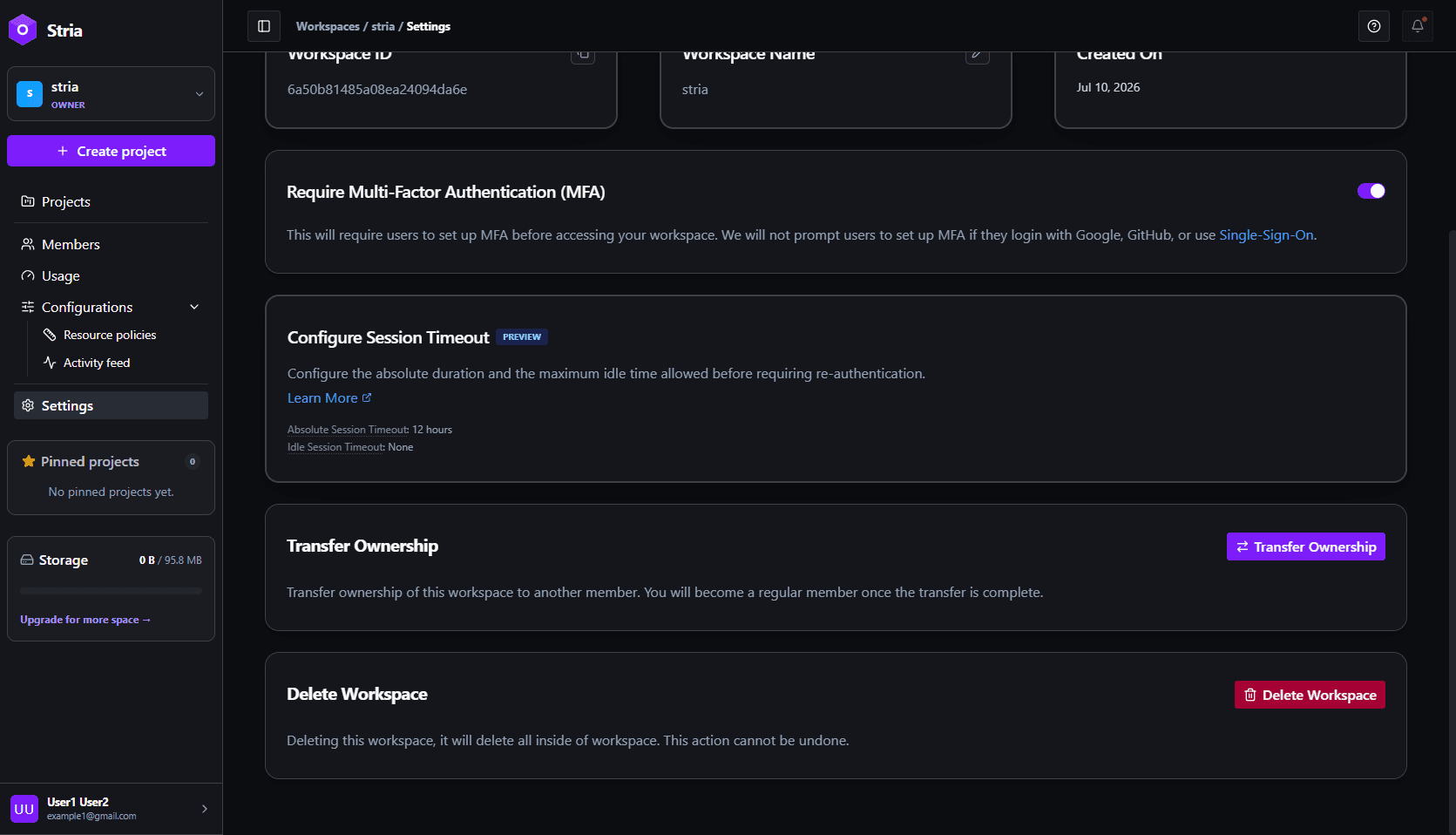
- Open the workspace you want to delete and click Settings in the sidebar.
- Scroll to the Delete Workspace section at the bottom of the page and click Delete Workspace.
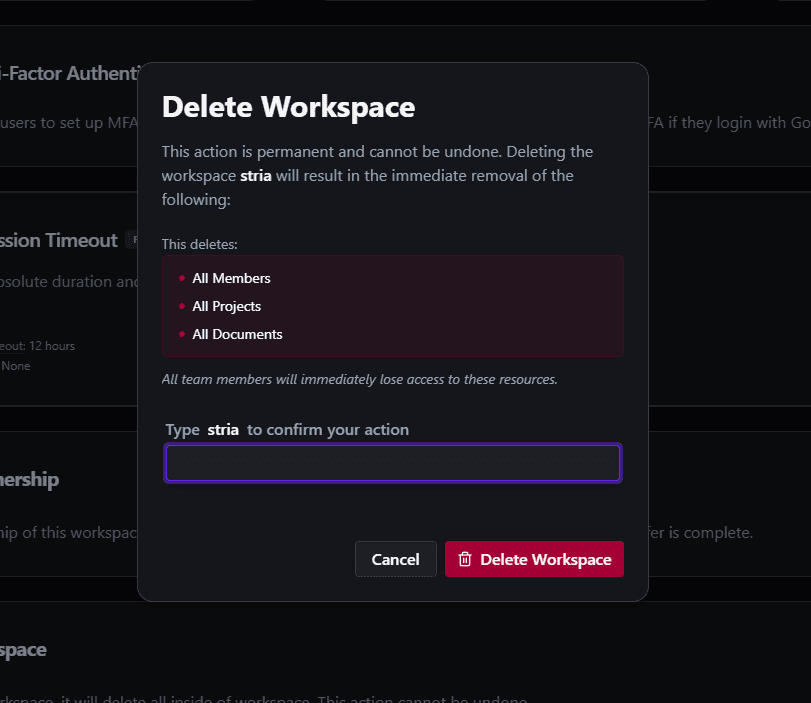
- In the confirmation dialog, type the workspace name to confirm the action. Capitalization does not need to match.
- Click Delete Workspace to permanently delete it.
Deletion may be blocked while a workspace add-on checkout or payment is processing, while recurring billing is being resolved, or while a paid add-on is still active. Finish the billing process or wait until the current paid period ends, then try again.
Once deletion is committed, the workspace is removed from Zelares and members lose access. Cleanup of stored files and connected publishing or domain data may finish separately; if cleanup is still pending, it is retried by the system. A committed deletion is still permanent and cannot be restored through the product.
What happens when you delete
After the deletion is committed, the workspace and its contents are removed from the application:
- All members lose access to the workspace right away.
- All projects inside the workspace.
- All documents stored in the workspace.
This action is permanent and cannot be undone. There is no way to recover a deleted workspace or its contents.
Who can delete
Only the workspace owner can delete a workspace. Other members, even those with full access, cannot perform this action.